Screen flow intelligence
Read the screens. Compare the apps. Get the whole plan.
Intelligence analysis of your flows and the apps next to you, then a complete result: what to change, why, and in what order, so the work is useful for your product, not a generic teardown.
What is happening
You drop recordings and competitor apps. Kopilot rebuilds each flow as screens, compares the same moment in other products, and returns a full plan: what is weaker, what to take, and the order of work so it is useful for your product.
The gap
Teardowns live in slides. Competitor recordings sit in Drive. Nobody turns the comparison into a decision you can ship.
What Kopilot does
Kopilot maps your screens, lines them up against comparable apps, and writes the gap as actions: what to keep, what to cut, what to test first.
What you leave with
A brief your team can use this week: annotated flows, ranked moves, and the evidence behind each one.
How this use case works
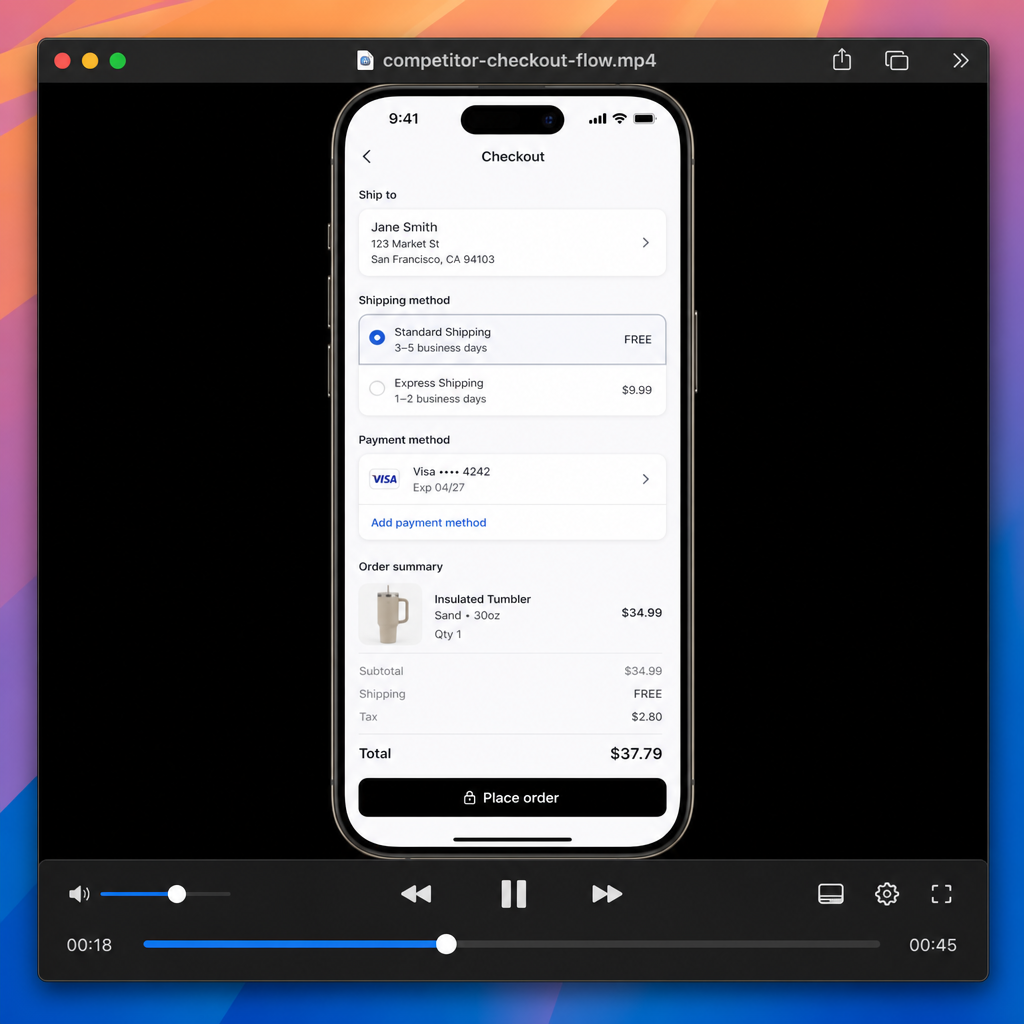
Ingest the flows
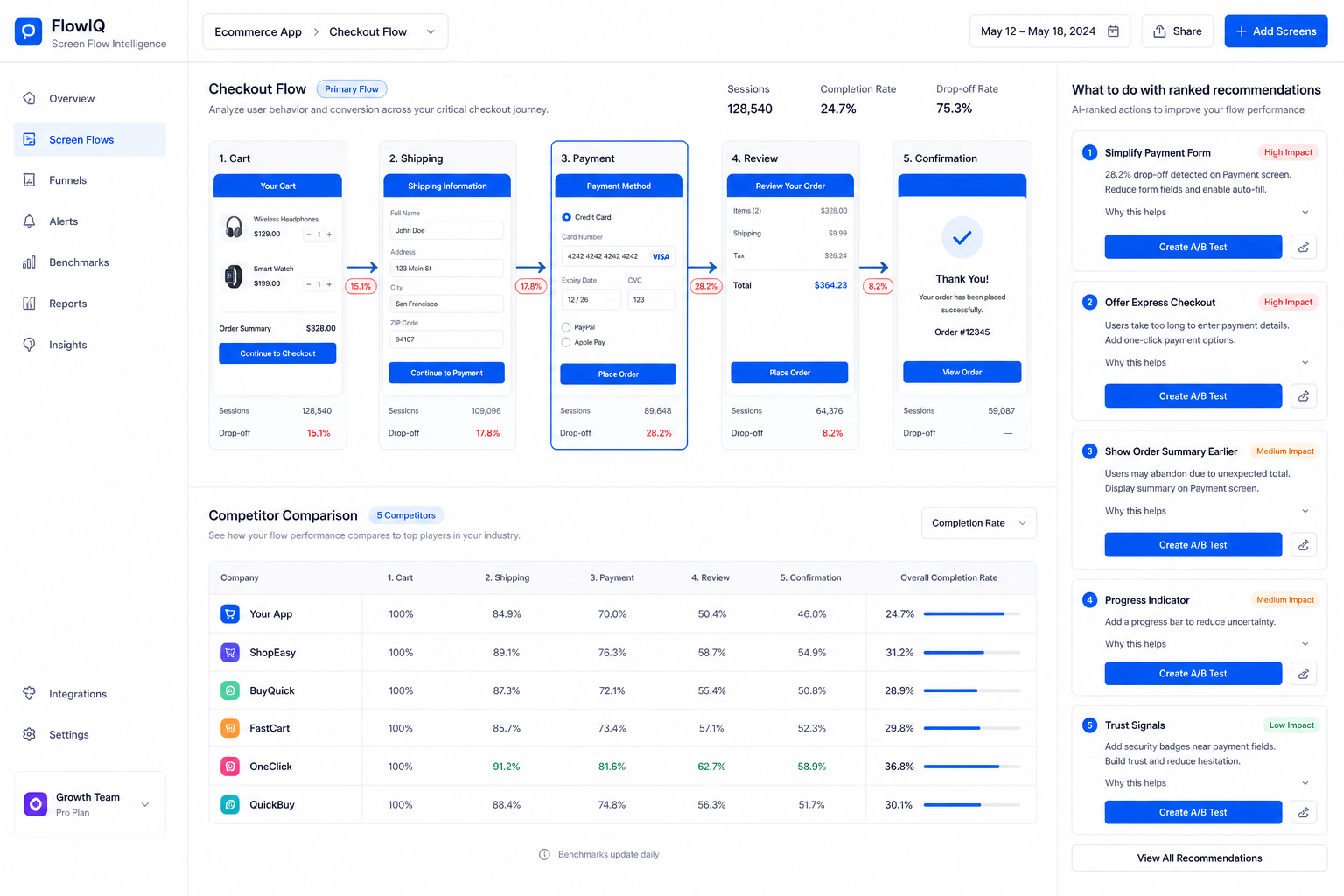
Drop recordings, screenshots, and live URLs. Kopilot splits frames, tags steps, and names the job each screen is doing.
Your flow and the competitor flow sit on the same canvas so gaps are visible, not guessed.
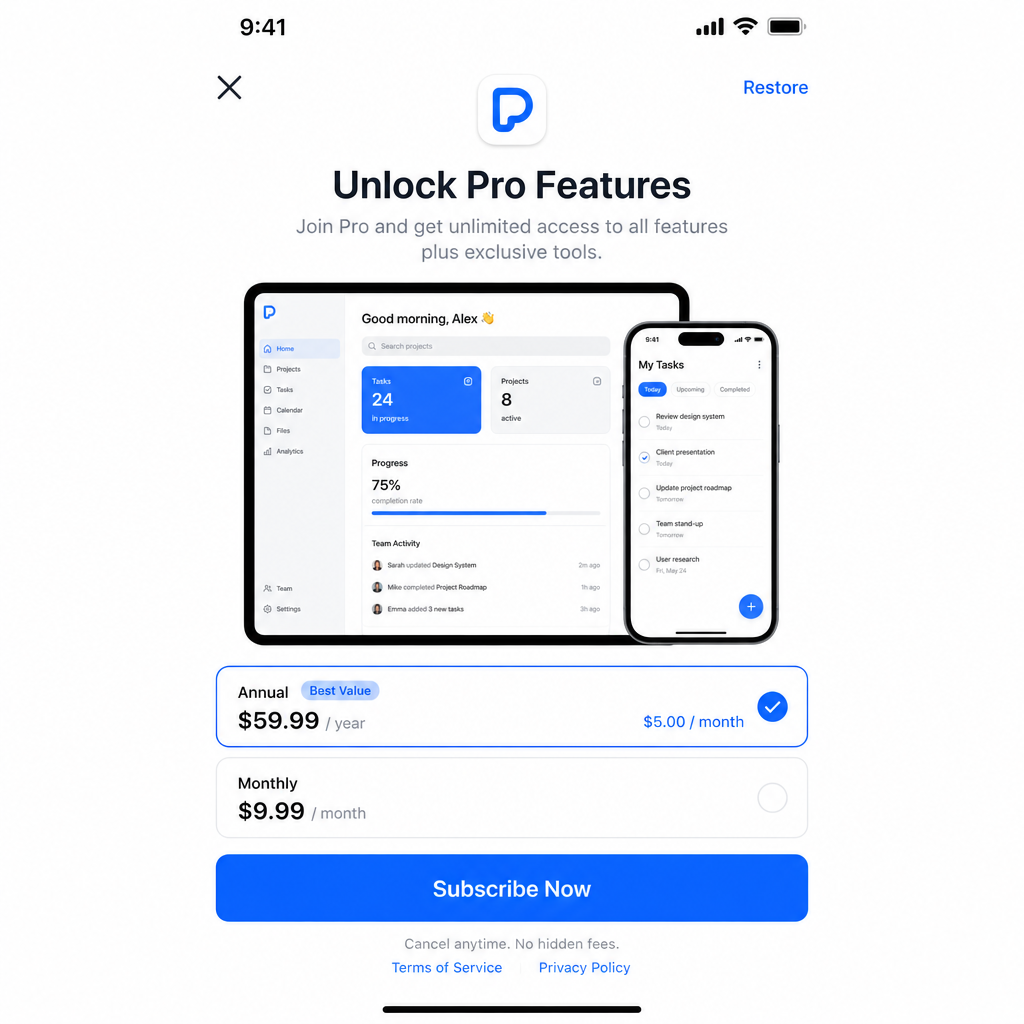
Compare the set
It lines your checkout, onboarding, or paywall against the apps that actually compete for the same moment, not a random gallery.
Each frame is tagged with the job of the screen: pay, confirm, recover.
Return the plan
You get a full result: findings, UX calls, and a sequenced list of what to do so the product actually moves.
The right panel is the result: ranked moves, not a mood board.
- Frame-level notes on each screen
- Side-by-side competitor diffs
- A ranked “what to do” list tied to evidence