Research to execution. Nothing lost in between.

Research, personas, PRDs, tasks and metrics in one loop. Every artifact cites the last one, so nothing gets retyped into another tool.

Get early access See the demo

Free during early access · No credit card · Your data stays yours

8 to 12+
Tools replaced
3+
AI agents per screen
15h/wk
Time saved

Built for PMs first · and every builder

Product managersFoundersDesignersGrowth teams

Everything you learn feeds everything you build.

01

Chat · empty session

The assistant never met your product

Every thread starts from zero. You describe checkout again, last quarter’s experiment, and who the user is. The draft sounds confident and cites nothing you actually have.
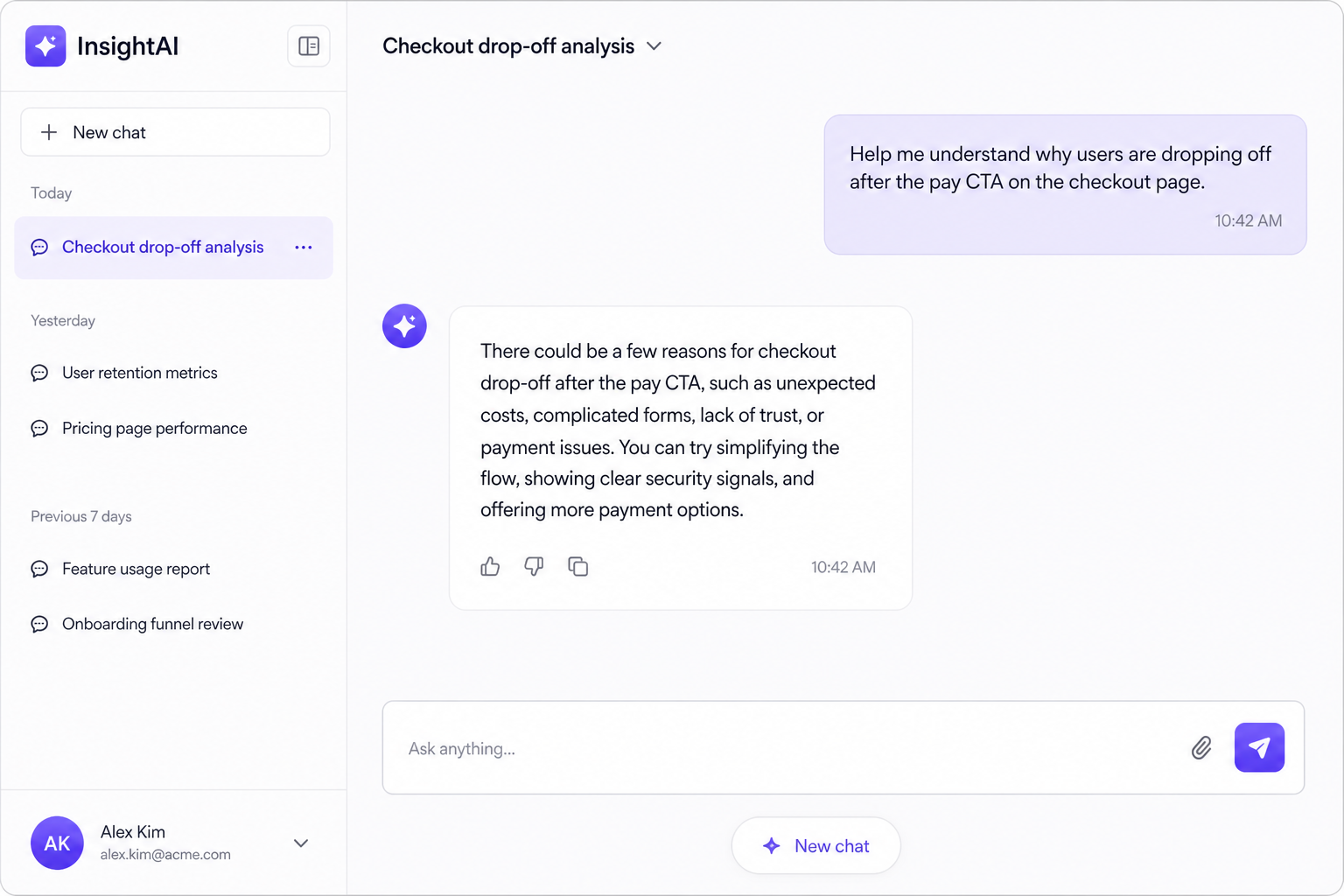
Empty chat session with a generic PRD reply

What you explained yesterday is gone by tomorrow.
02

Screens · funnels · recordings

The real brief does not fit in a prompt

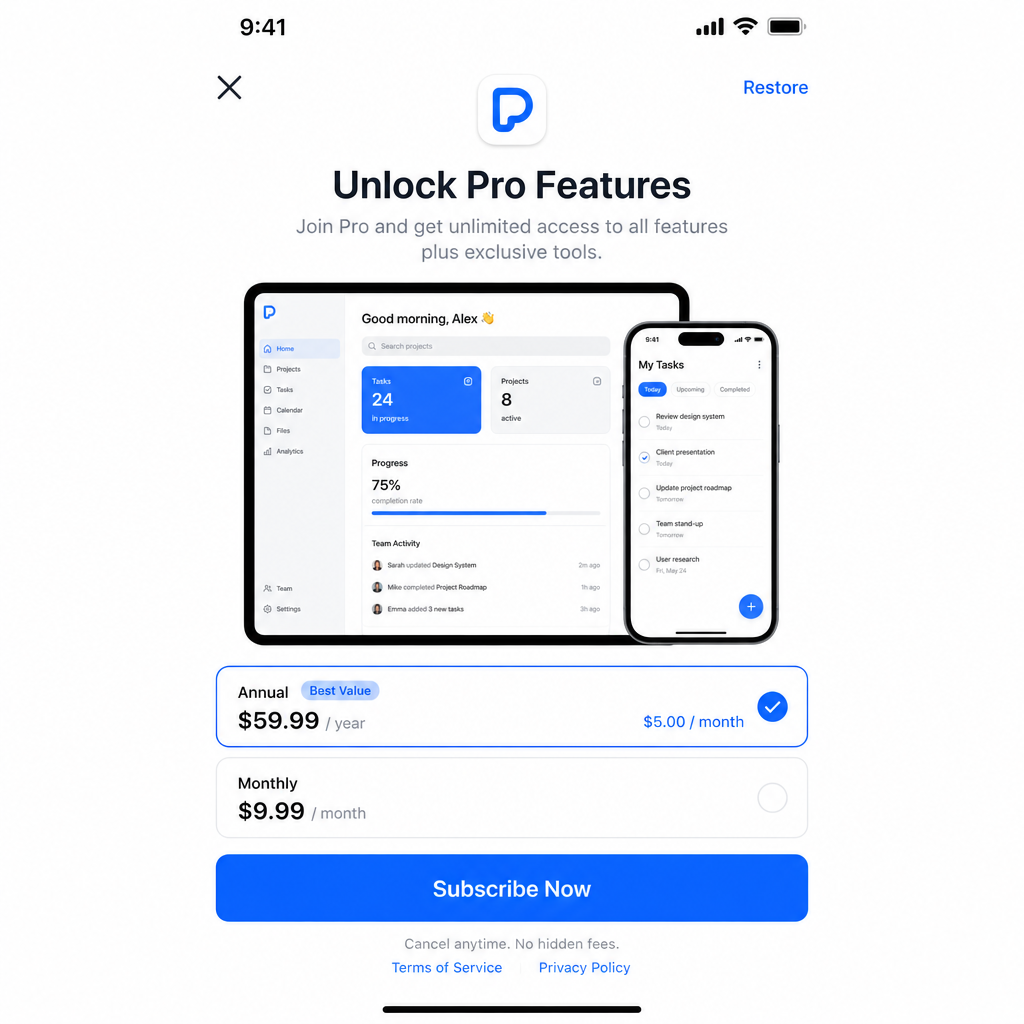
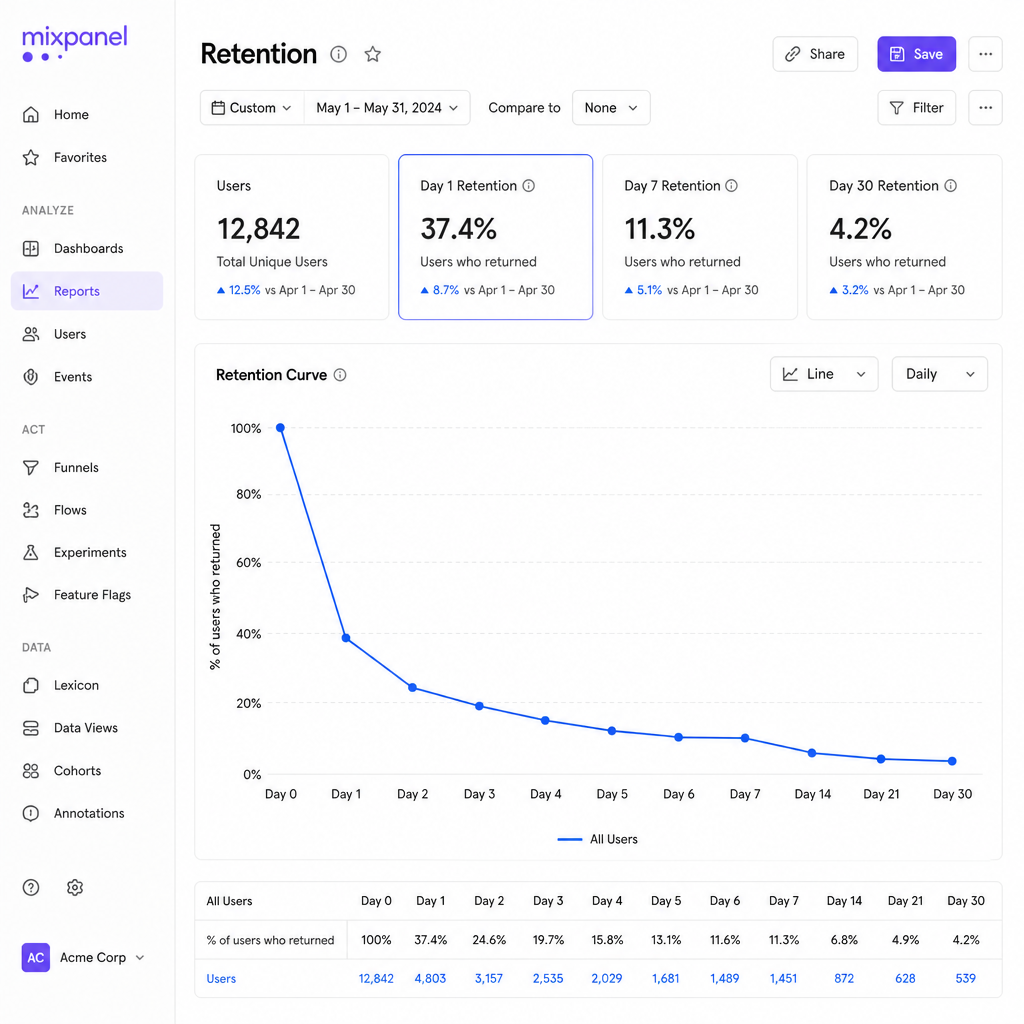
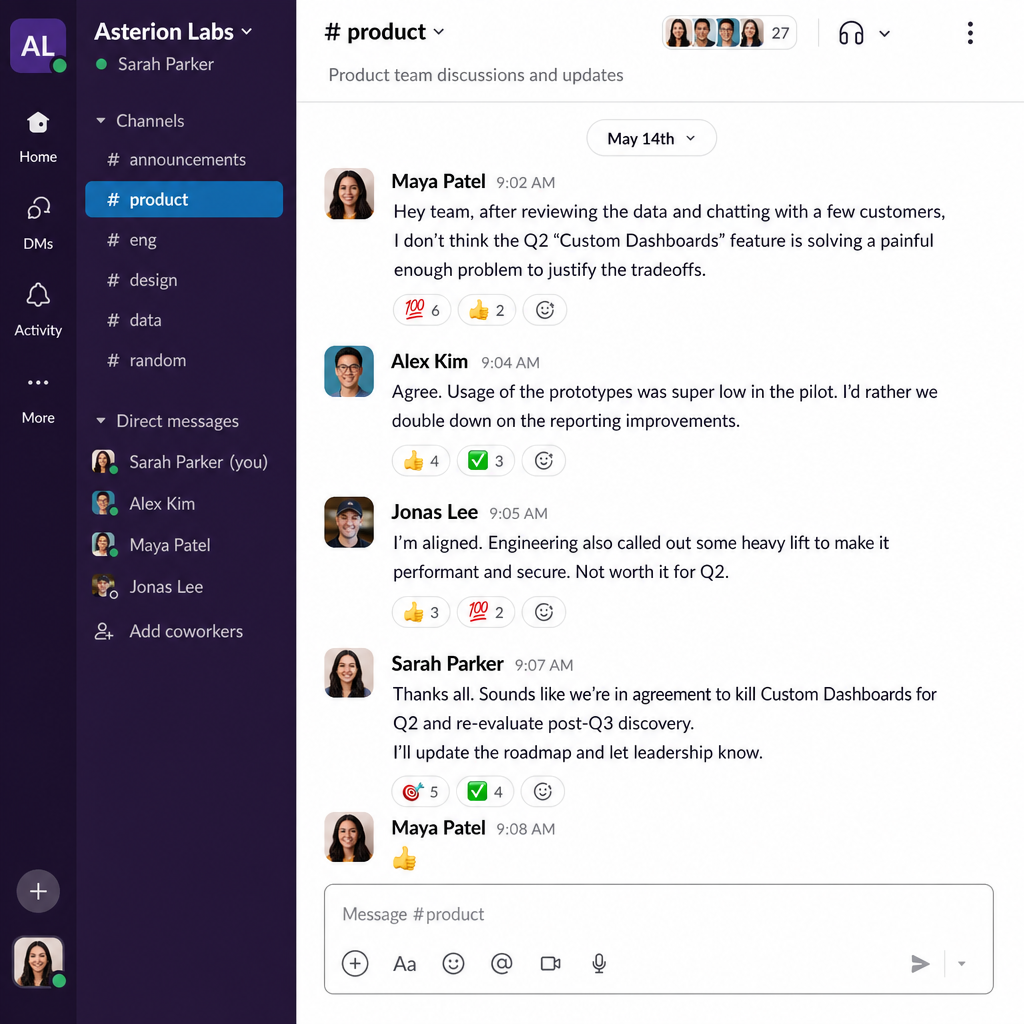
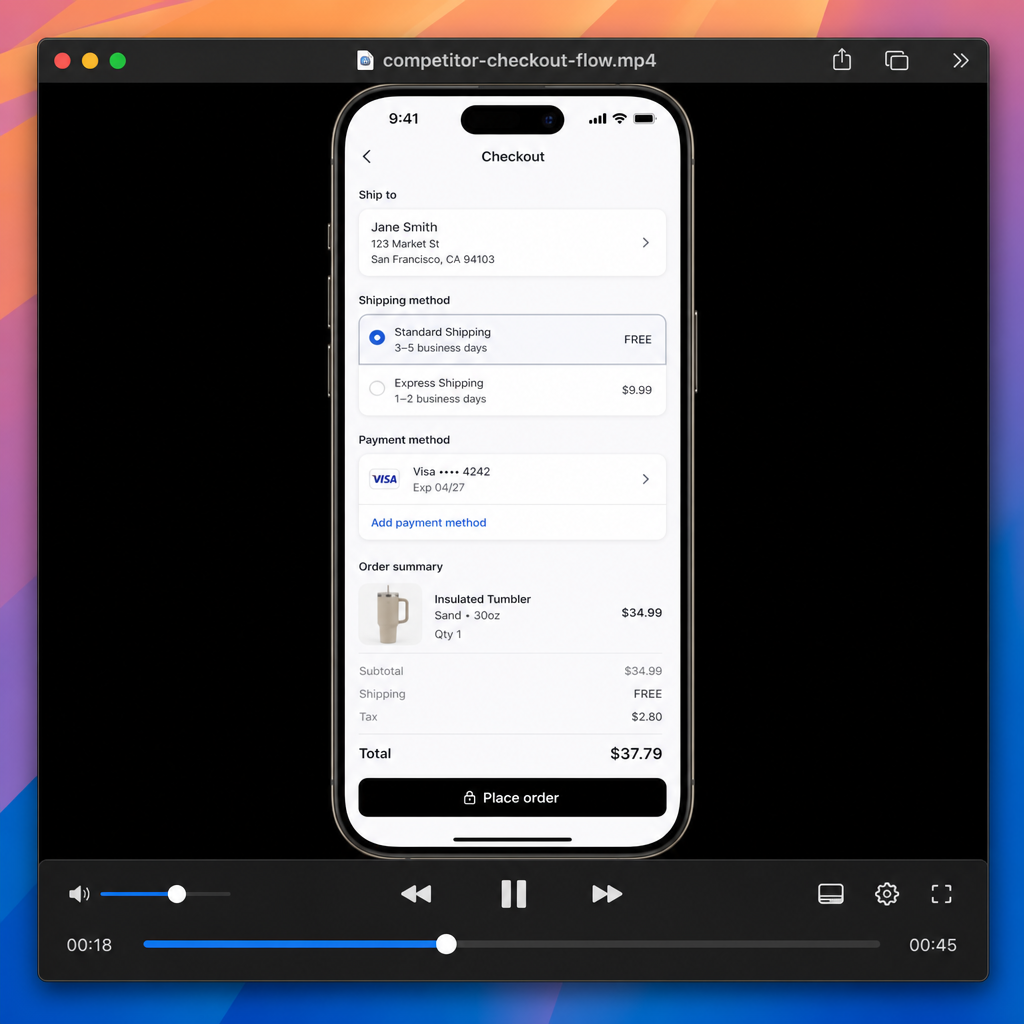
Competitor recordings, retention curves, and the call where you killed a feature are the source of truth. A folder of PDFs is not a product map. They have to be read, linked, and kept.

competitor recording
paywall screenshot
retention curve
kill-decision from Q2
PromptWrite a PRD4 pieces of evidence did not fit

Evidence stays in tabs. The PRD is written from memory.

03

Personas · invented users

Personas are written once, then ignored

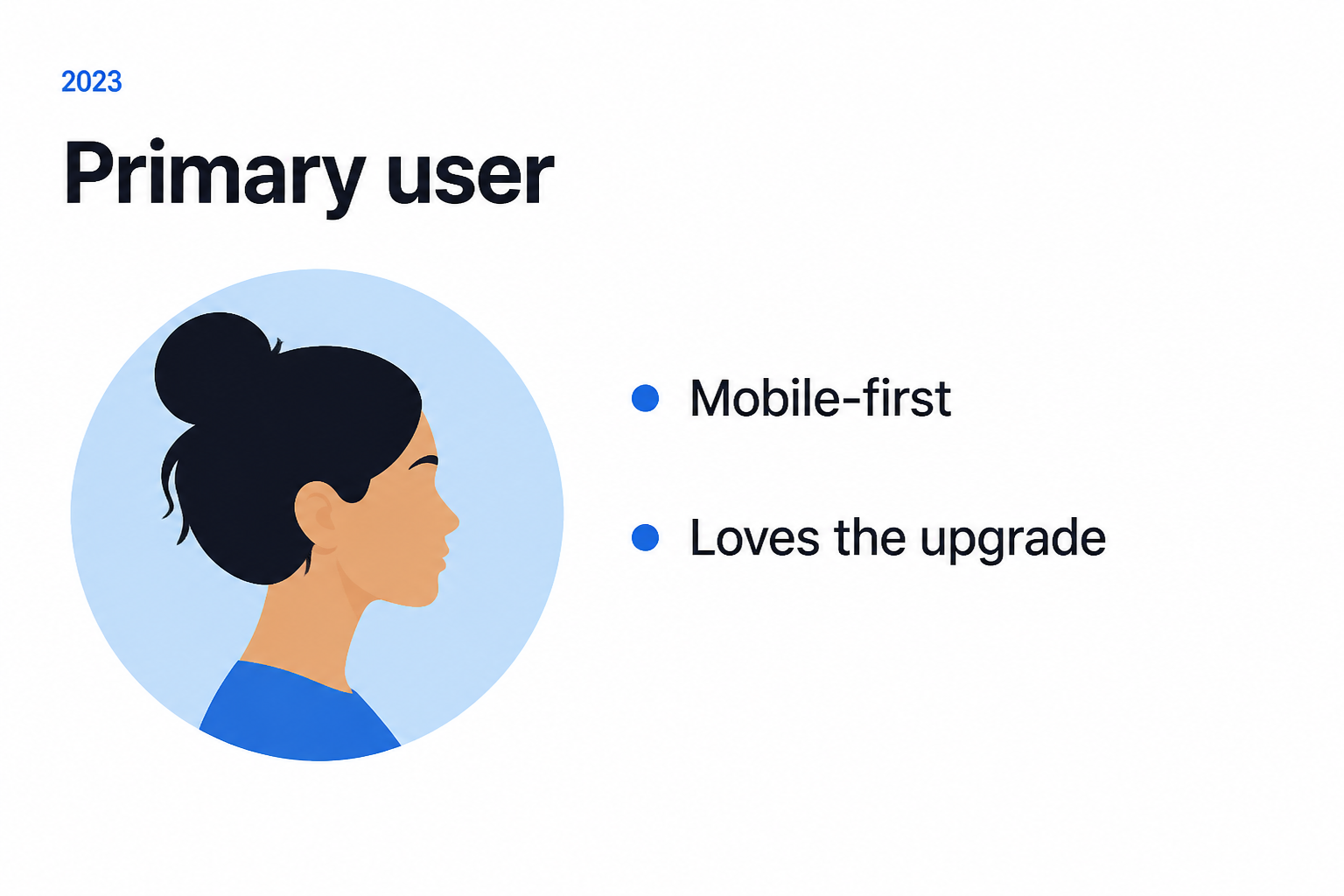
The “primary user” lives in a slide. Analytics, support tickets, and the latest release never update it. So the next PRD is written for a person who no longer exists.

Slide · 2023

Primary user persona slide written once

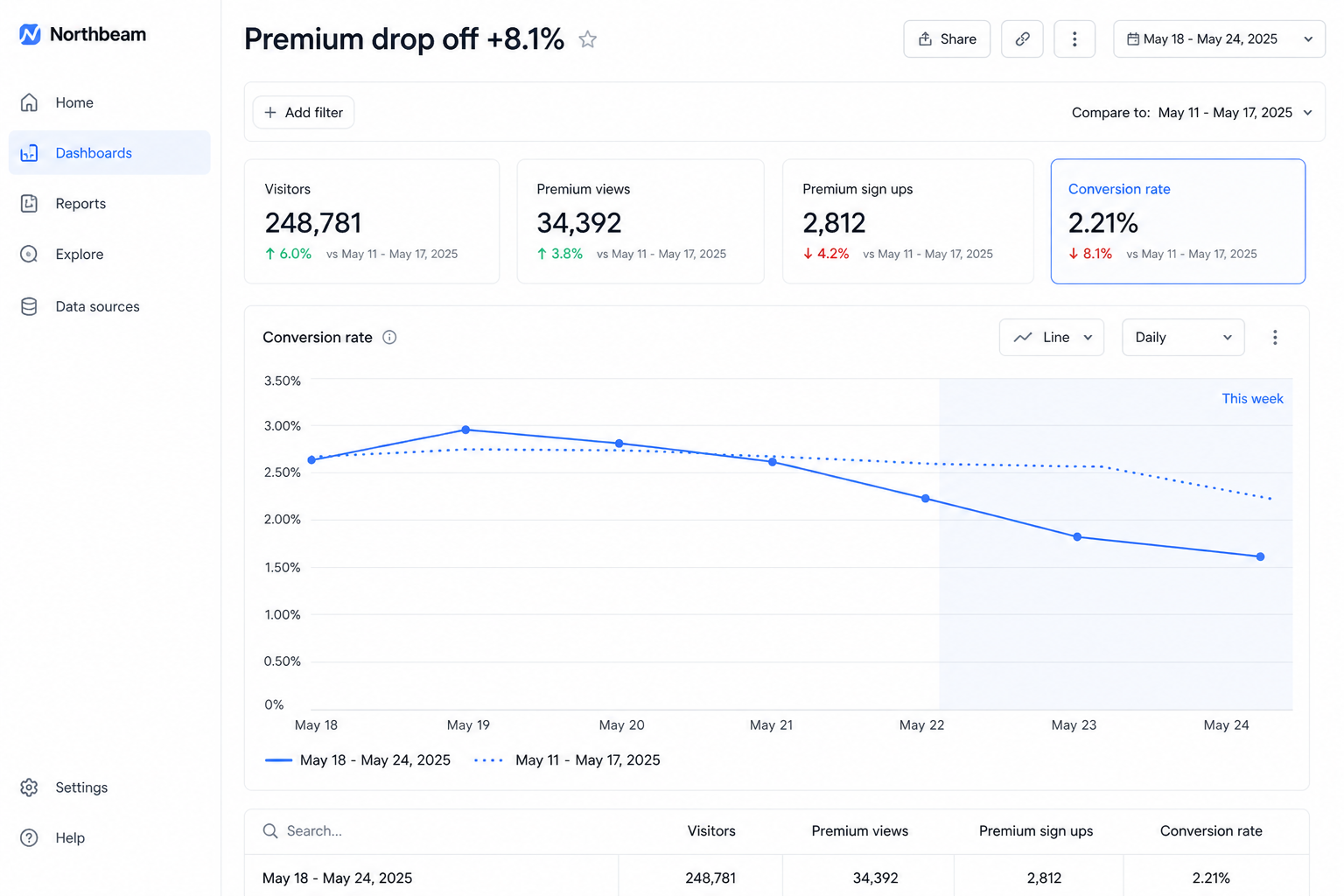
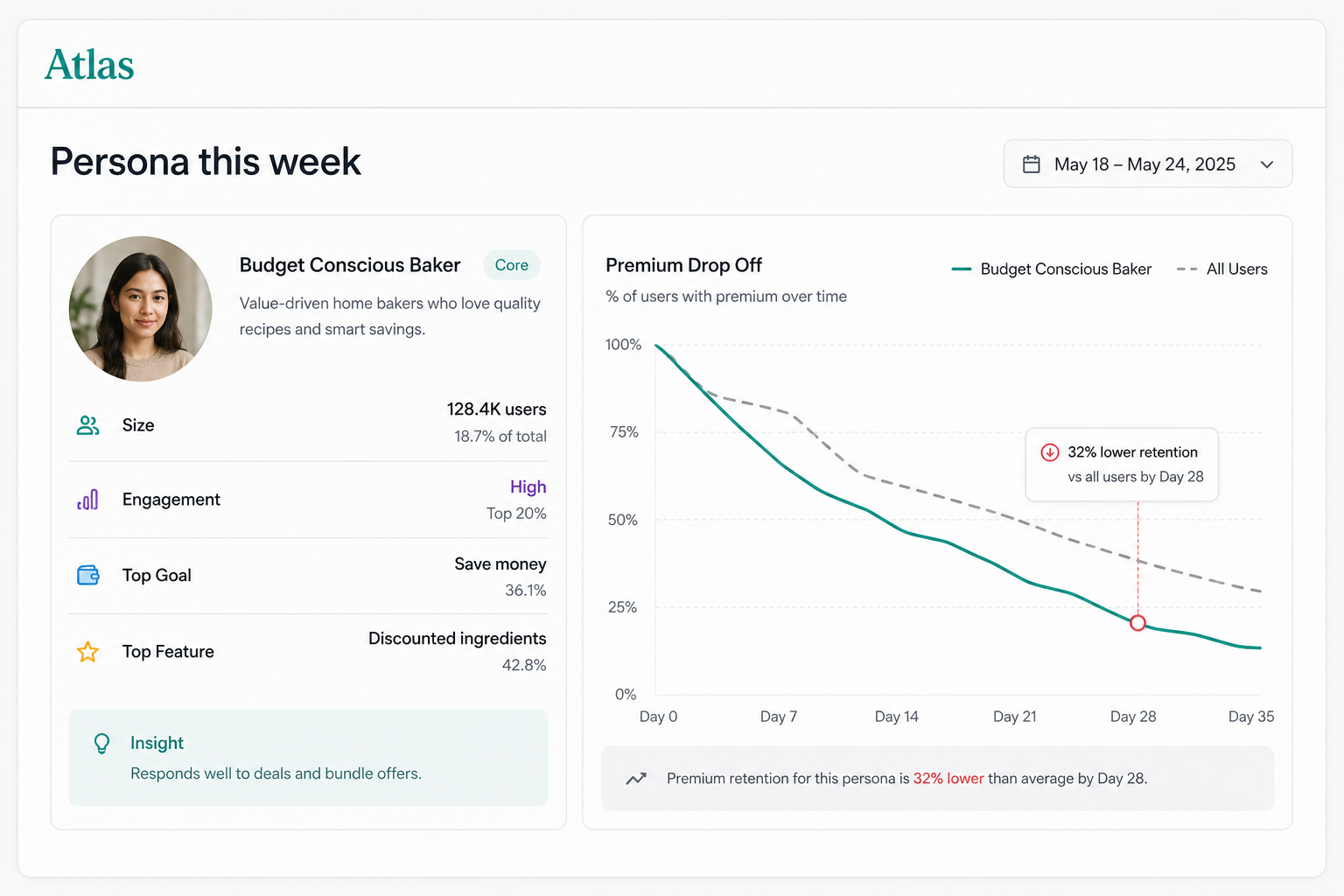
Product this week

Premium drop off rising this week

You ship for a persona the product has already outgrown.

04

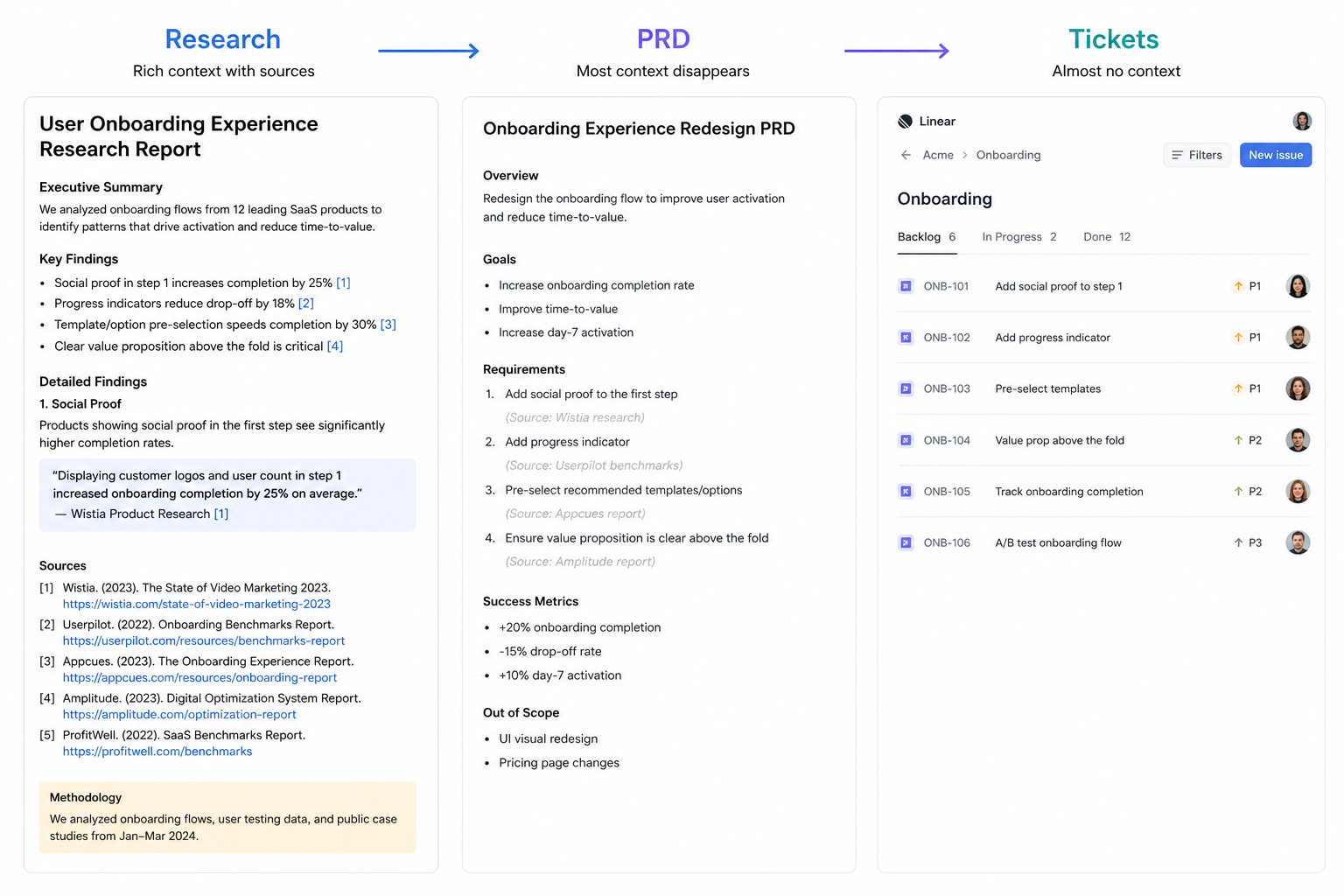
Research → PRD → tickets

Every handoff drops the trail

Research lives in one tool, the spec in another, tasks in a third. Each hop is a rewrite. Citations die. Engineering ships a thinner story than the one you started with.

Research to PRD to tickets dropping the trail

The loop never compounds. You start over on the next screen.

05

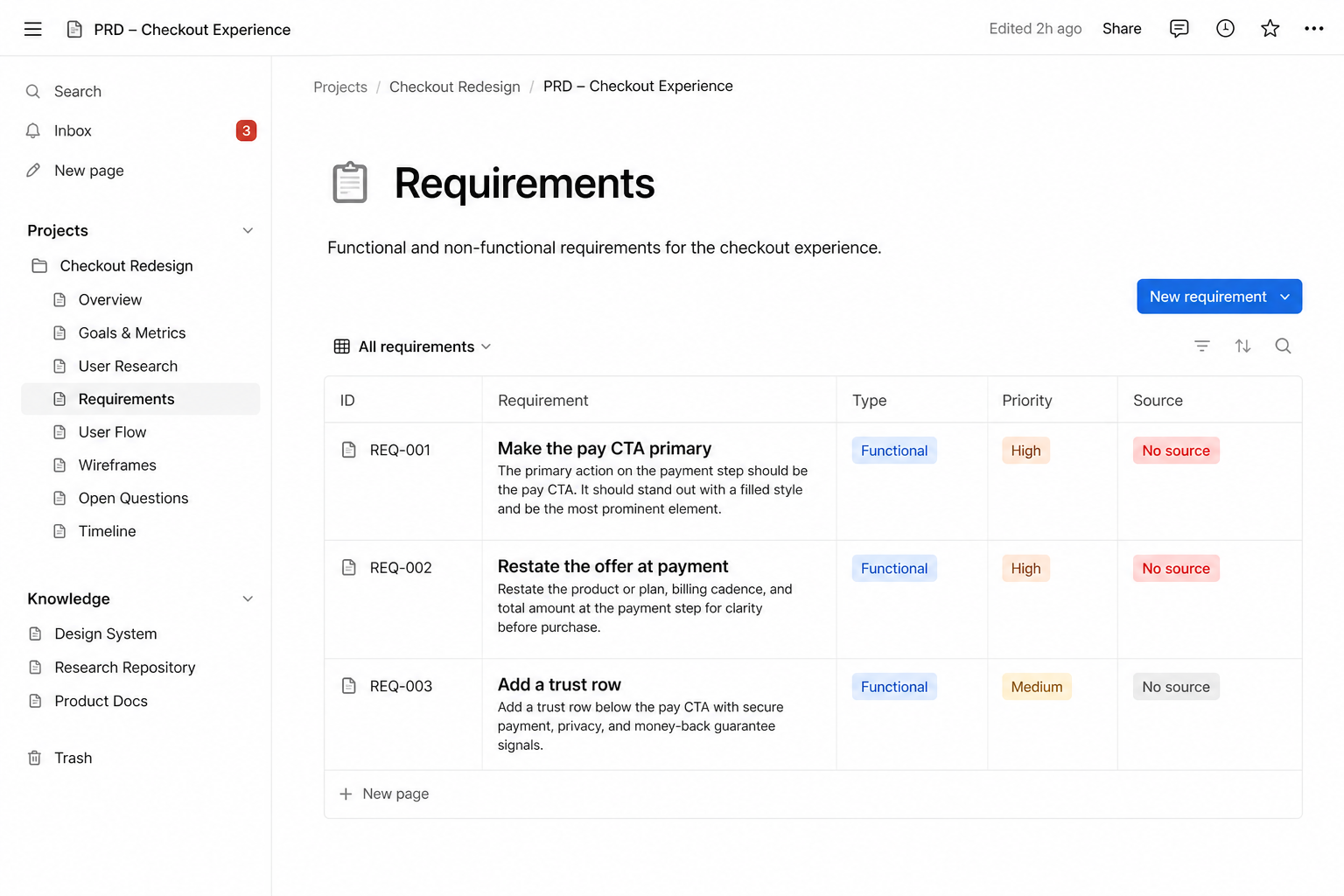
PRD · no sources

Specs read finished. They are not grounded.

A clean PRD can still be a remix of last week’s chat. No screenshot, no funnel, no decision log. Review becomes taste. Disagreement has nothing to point at.

PRD requirements with no sources

The document wins the meeting. The product still ships the gap.

06

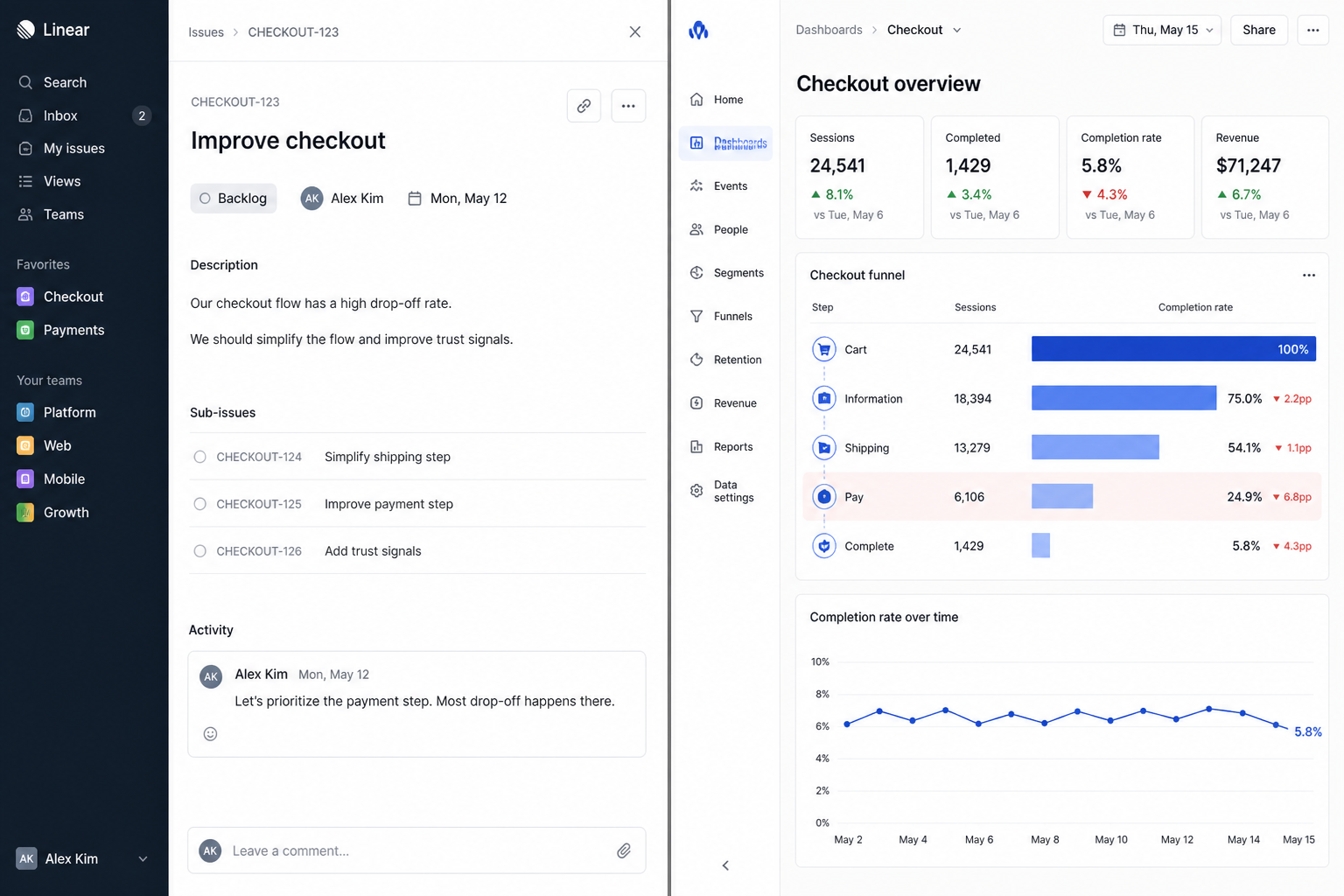
Metrics · after the fact

Numbers show up after the work is done

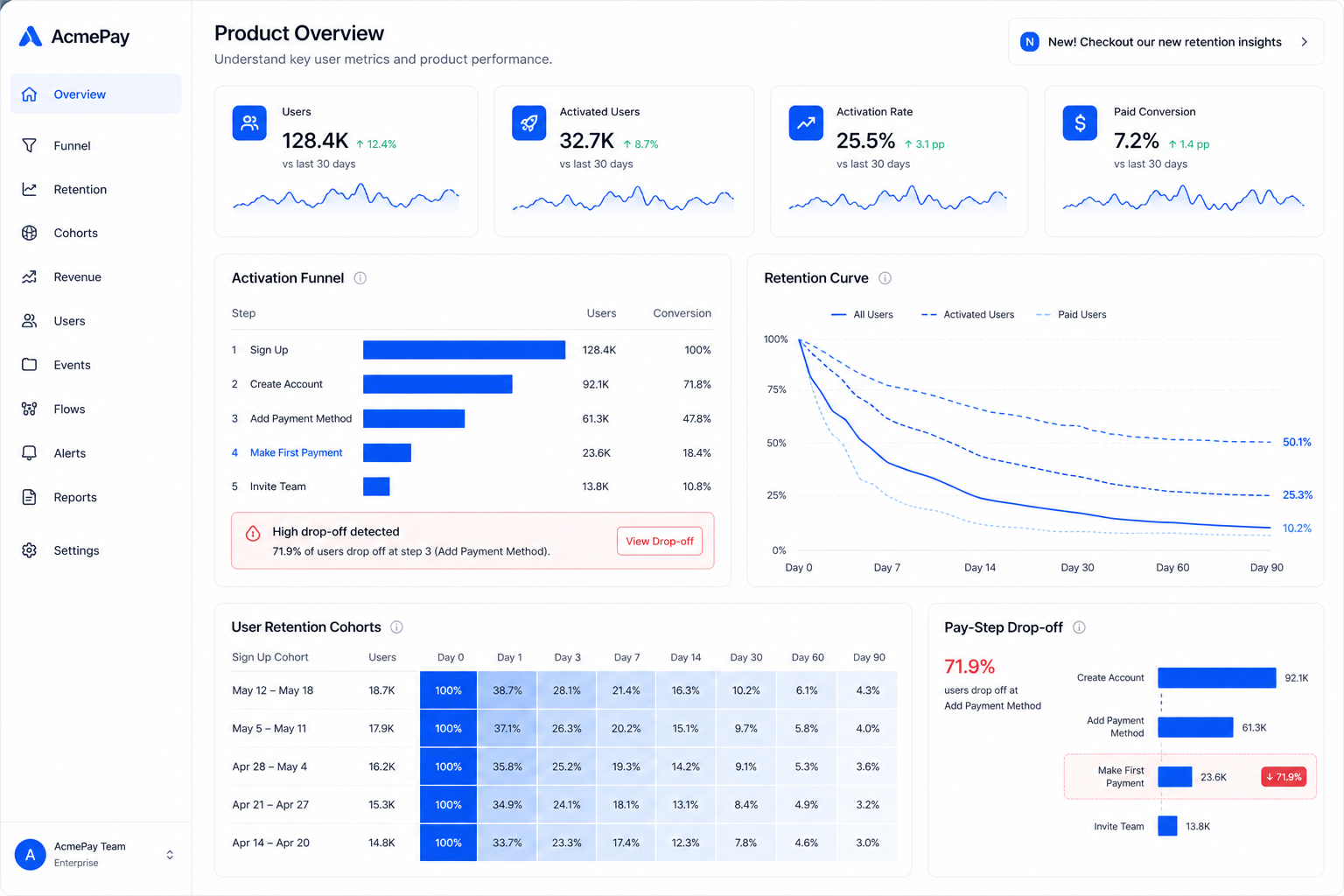
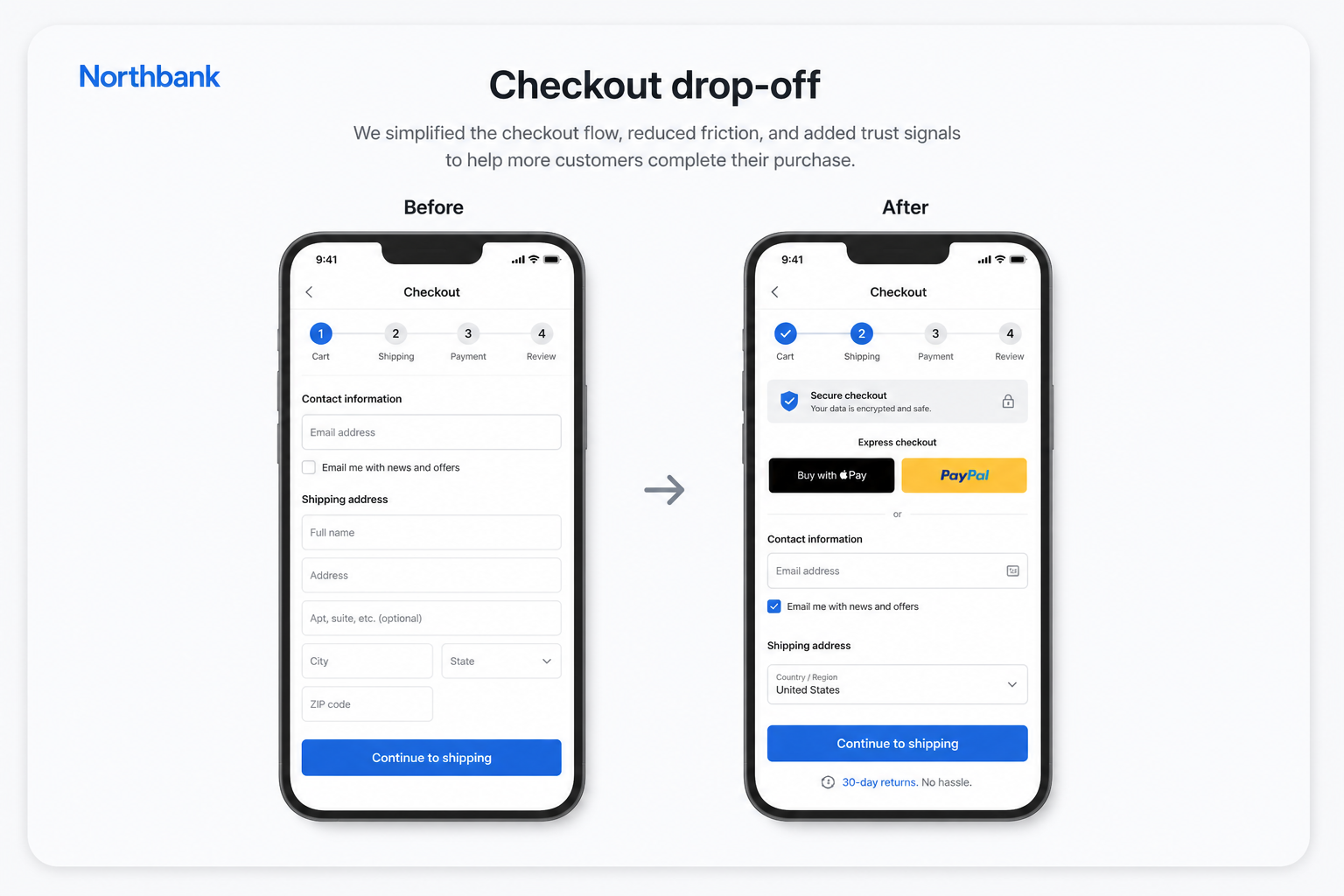
Activation, retention, and drop off sit in a dashboard nobody opens while writing the ticket. So the task is “improve checkout” instead of the step that actually broke.

Ticket written Monday, metrics checked after ship

You measure the miss. You never attached it to the brief.

07

8 to 12 tools · no shared memory

The stack does the work. Nothing remembers it.

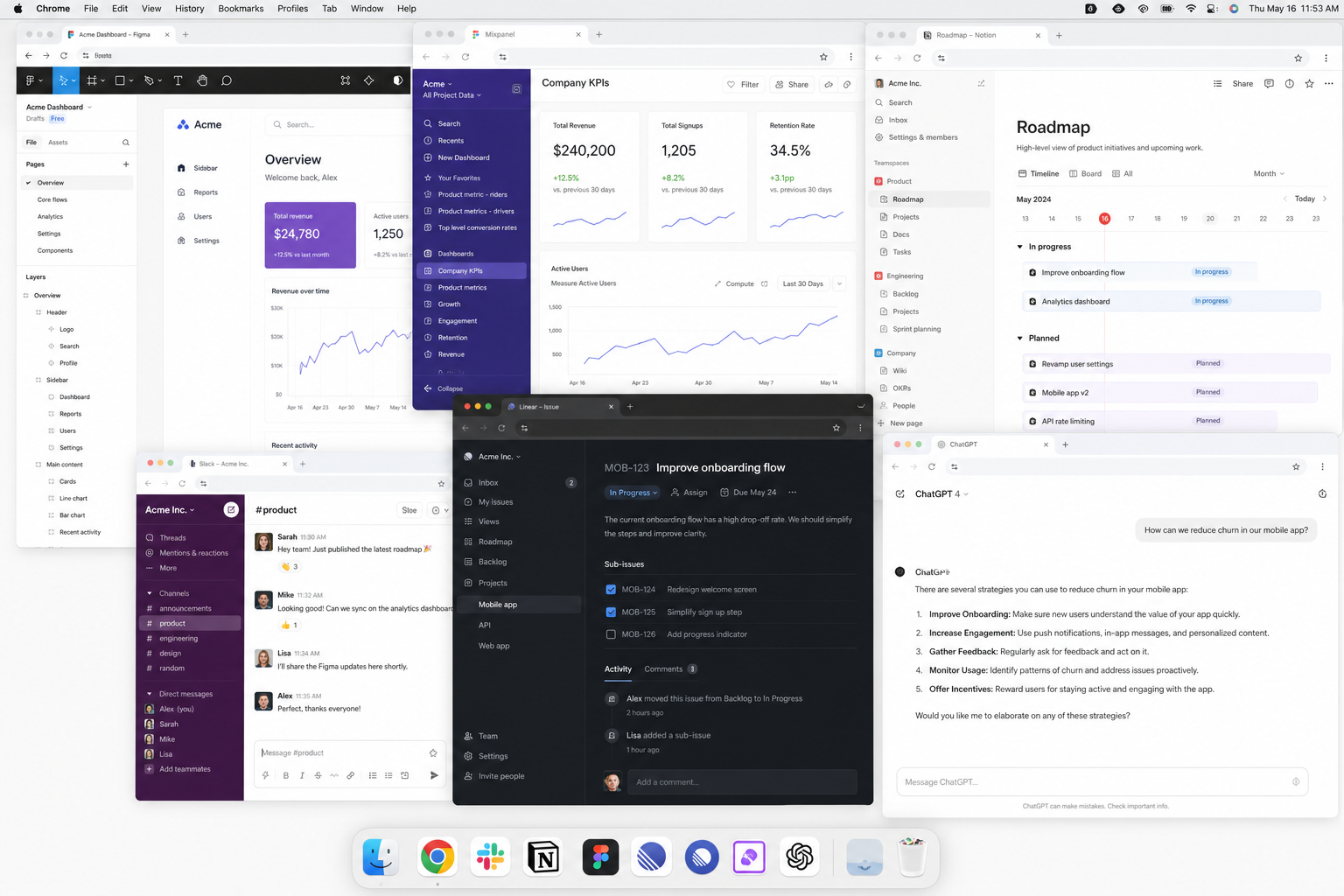
Figma, Mixpanel, Linear, Notion, Slack, a model in another tab. Each is useful. None of them keep the chain: what you saw, what you decided, what you asked engineering to build.

Product tools with no shared memory

Context is a tax you pay again on every screen.

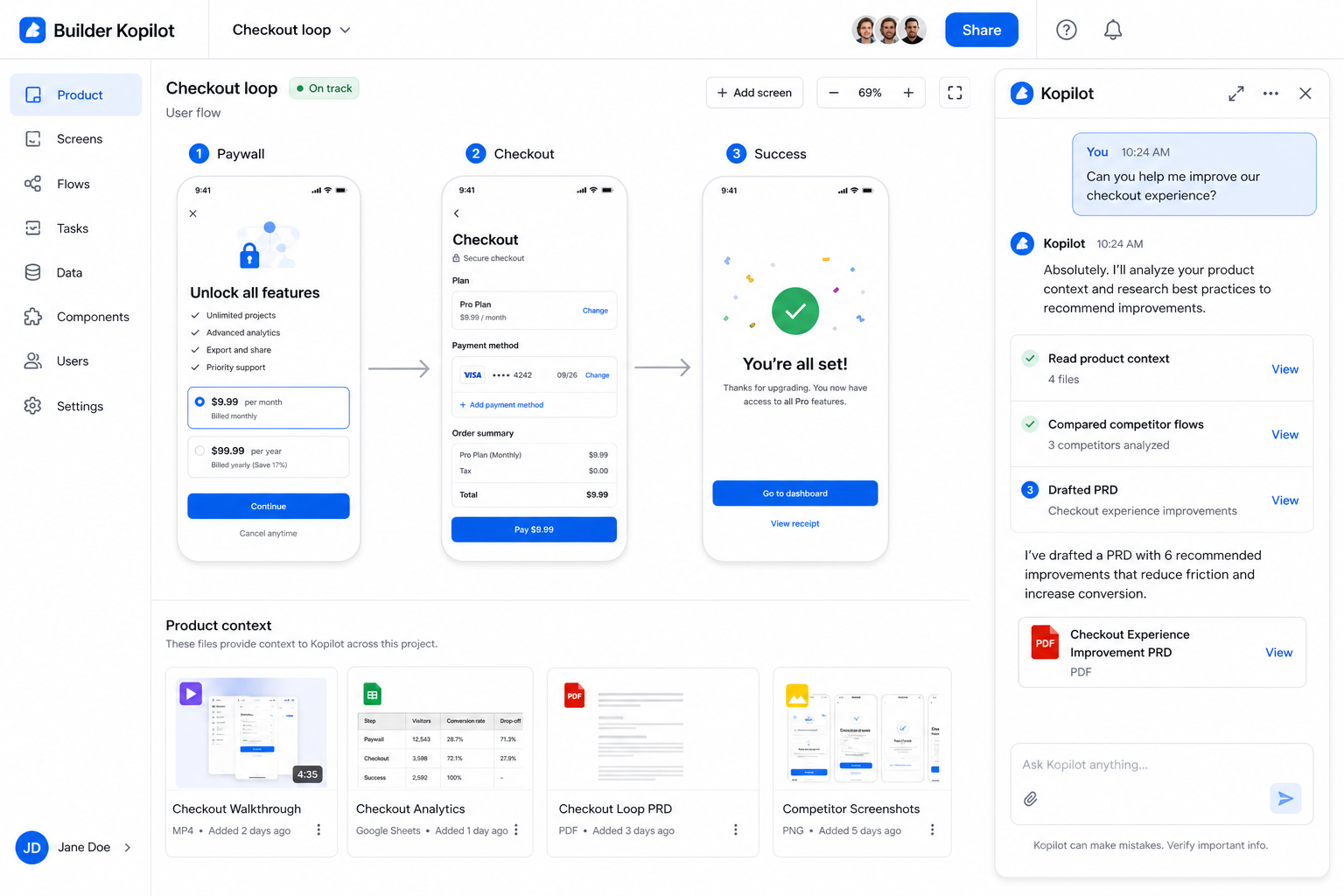
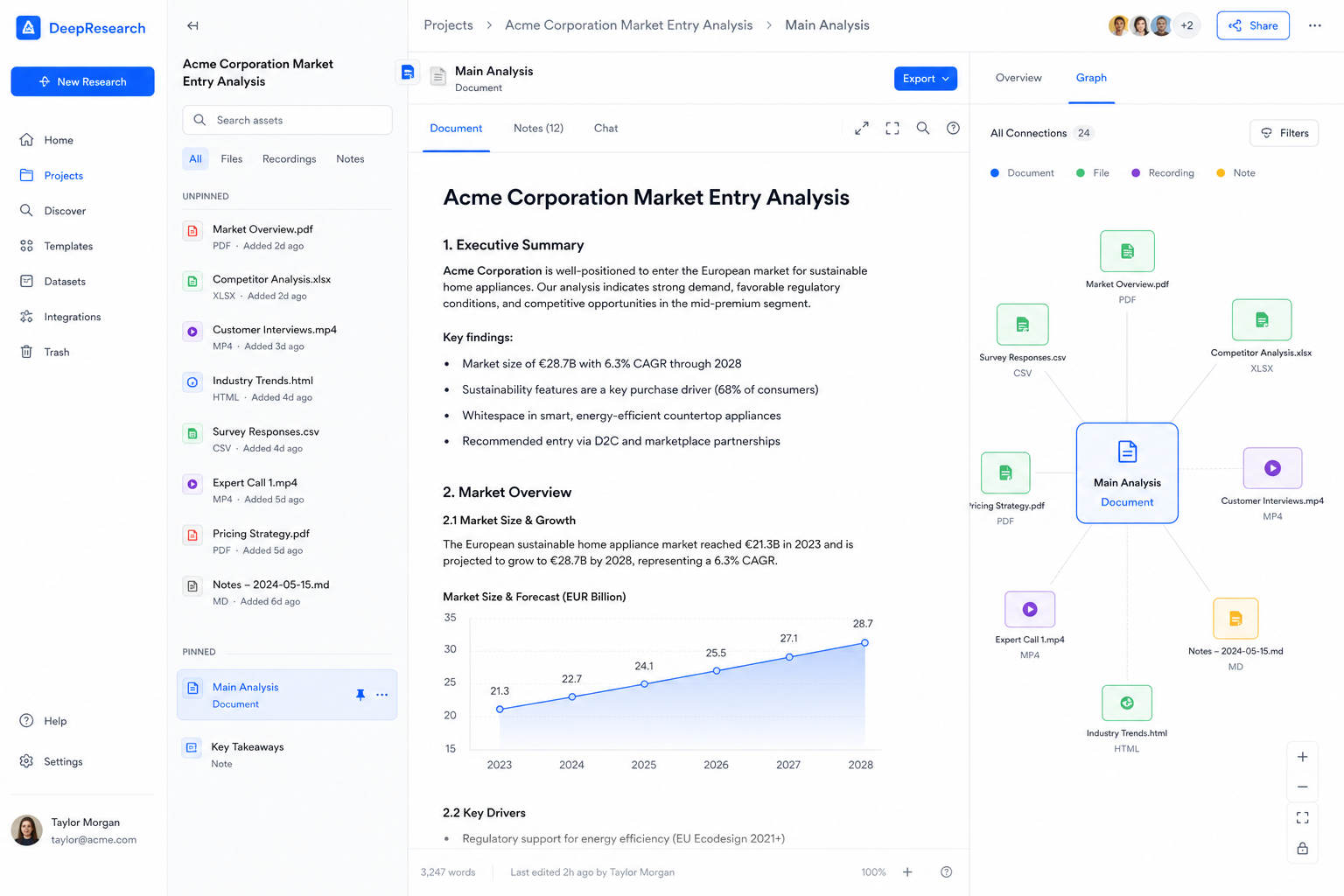
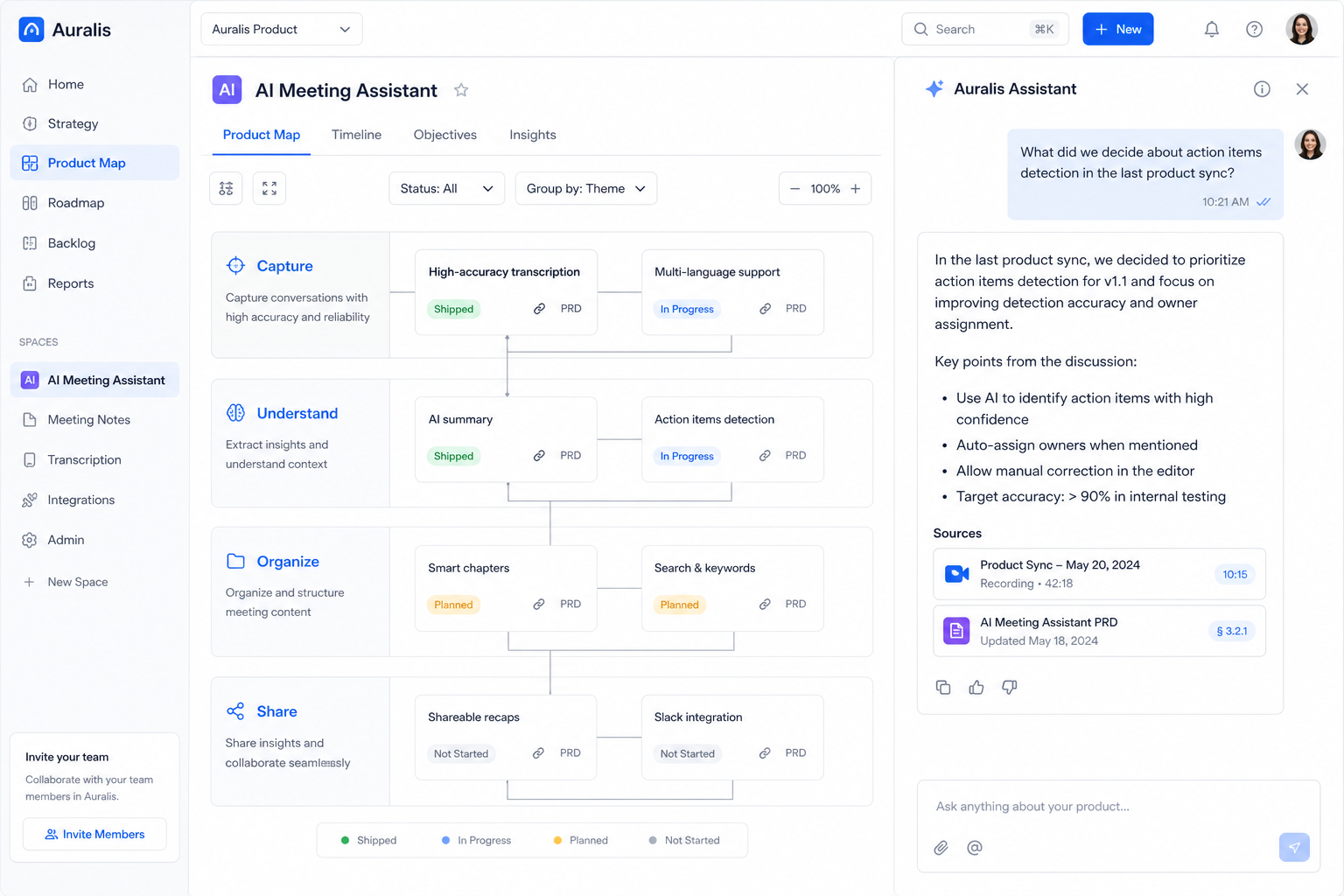
Builder Kopilot helps you build from scratch, and gets smarter the more you build with it.

Start empty. Every screen, recording, and decision you add stays in the workspace, so the next PRD is written from what you already know, not a blank chat.

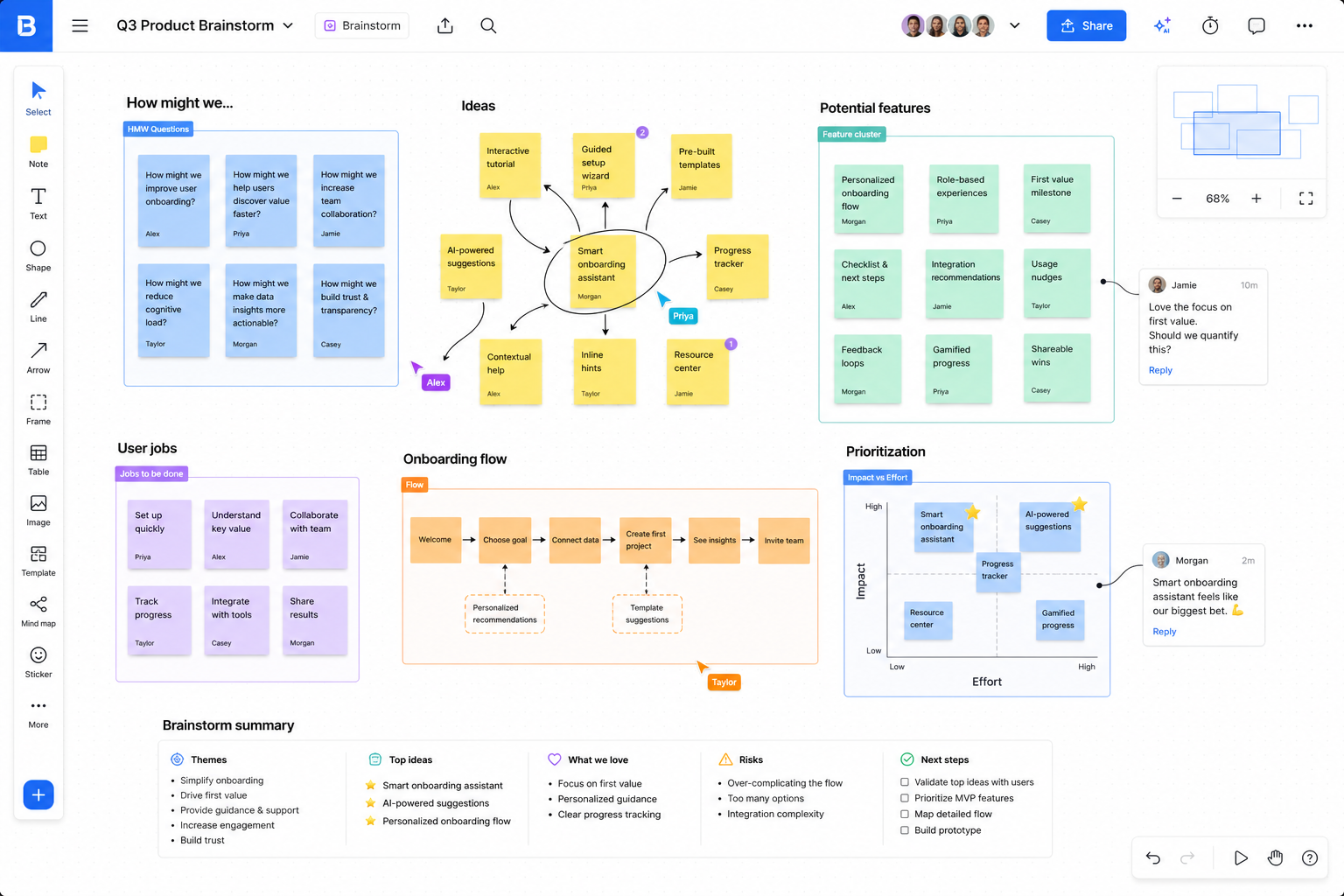
Builder Kopilot workspace with a product flow and copilot chat

Product context

It starts by building a living understanding of your product.

Everything you feed the workspace becomes context the next answer is built from. Not a folder of files, a map of how your product actually works.

Step 1 · What you bring

Competitor screens

128 screens · auto-tagged by module

1:24

Screen recordings

Flows split frame by frame

D7 RETENTION+3.2%

Product analytics

Funnels, retention, segments

PRDRESEARCH

Docs, PRDs & reviews

Everything already written down

Step 2 · The map it builds

Screens link to the personas they serve, the metrics they move and the decisions already made about them.

Context

128

Screens

6

Personas

14

Metrics

9

PRDs

39

Decisions

Rebuilt every time something new lands

Step 3 · What that changes
Why did premium upgrades stall last month?

Upgrades track the payment screen you shipped on the 8th. The pay action lost visual weight, the live offer is not restated at the decision point, and drop-off for premium users rose 8.1% the same week.

Payment screenUpgrade funnelPremium persona
Every claim points back to a node on your map
No re-explaining the product at the start of each session
New research updates the answer, not just the archive

Use cases

See how Builder Kopilot thinks through real product problems.

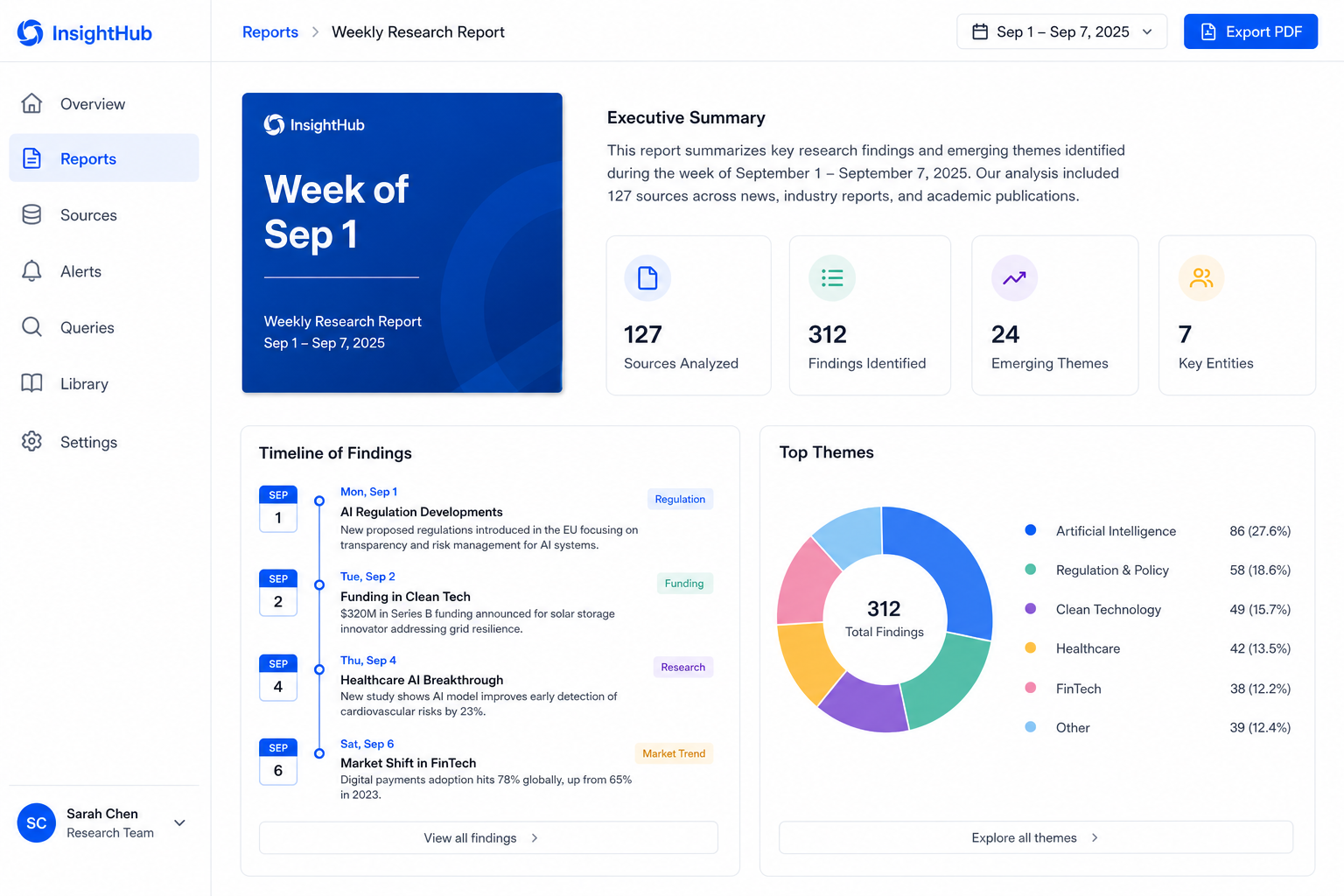
Intelligence on your screens, live web research, deep analysis of the workspace, weekly reports, canvas, analytics, personas, PRDs, and chat that already knows the product.

And more: competitor diffs, cited tickets, handoff trails, and whatever the workspace learns next.

How it works

It does the work teams usually rush past.

Copilot shows its receipts. Every run lists what it asked, what it read, what it compared against and what it produced, so you can audit the reasoning before you act on it.

See a run end to end

Questioned & clarified

Where do premium users drop off?What did the last release change?+2

Read 24 sources in your workspace

Checkout funnel · analyticsPayment screen · competitor+22

Compared against 9 competitor flows

Upgrade promptsTrust signals+7

Flagged 11 edge cases and gaps

No selection state at payOffer not restated+9

Produced artifacts for handoff

PRD draftP0/P1/P2 task list

The loop

Your whole PM workflow, one connected spine.

Every artifact feeds the next. Nothing lives in a silo, nothing gets retyped into another tool.

1

Research

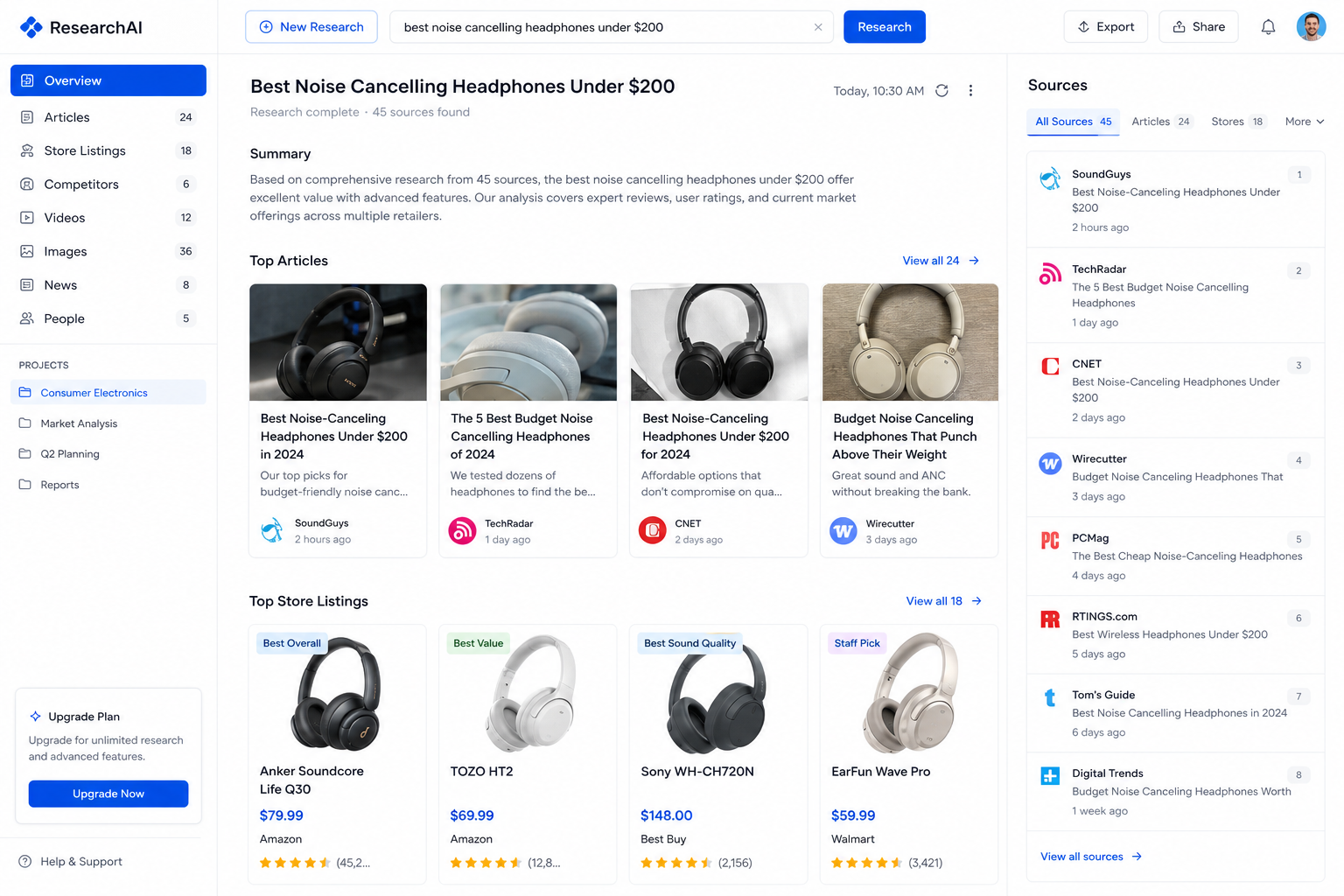
Competitor screens, video flows & live web signal

2

Personas

Generated from real research, not templates

3

PRDs

Drafted with findings linked as evidence

4

Tasks

Scoped P0/P1/P2 straight from the PRD

5

Metrics

Conversion & retention feed the next cycle

6

Execute

Hand the task to Cursor, Claude or your editor through MCP

…and metrics send you back to research with sharper questions.

What makes Builder Kopilot different?

It starts by building a living understanding of your product.

Everything you feed the workspace becomes context the next answer is built from. Not a folder of files, a map of how your product actually works.

Add screens, recordings, docs or analytics. Start empty. Get smarter as you build.

Step 1 · What you bring

Competitor screens

128 screens · auto-tagged by module

Screen recordings
1:24

Flows split frame by frame

Product analytics
D7 +3.2%

Funnels, retention, segments

Docs, PRDs & reviews

Everything already written down

Personas
RS

6 living profiles

Decisions & rules

39 remembered

MCP & execute
Cursor
Claude
Linear
Notion

Cursor, Claude, your editor

Screens link to the personas they serve, the metrics they move and the decisions already made about them. Rebuilt every time something new lands.

See how teams ship from research to execution on products they already run.

15h/wkBack on the calendar

I've tried Notion AI, ChatGPT, all of them. They draft fast but forget how your product actually works. Builder Kopilot cites the research. We've arrived at product decisions we never would have reached from a blank chat.

AanyaSenior PM, consumer app
Read story

Who it is for

Move from a rough idea to a defended direction faster

Turn competitor screens into cited findings
Draft PRDs with the evidence already attached
Break the doc into P0/P1/P2 the same day
Keep personas alive as new research lands
Watch activation, conversion and retention in one view
Ask Copilot anything about your own workspace

Agent perspectives

Three senior PMs read every screen. None of them are on payroll.

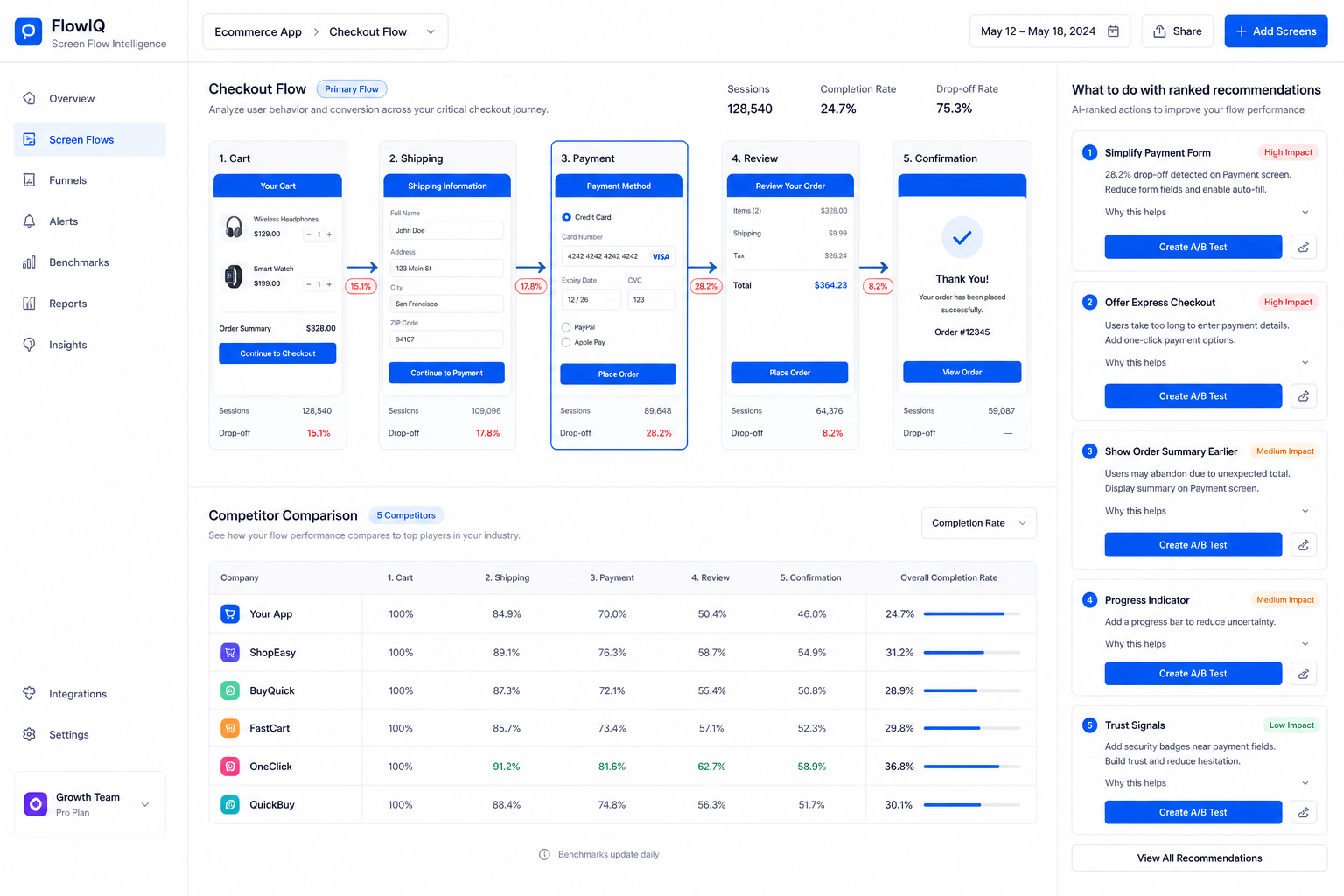
Run a competitor screen once and get three independent reads: usability, funnel and positioning. Each one arrives with observations and ranked recommendations.

UX Expert

Reads every screen for hierarchy, friction and flow. Then hands you fixes ranked by impact.

"Get Free Consultation" competes with the payment action for attention.

Growth PM

Watches the funnel: activation, conversion, retention and premium upgrades.

Urgency is leaking. Restate the 75% OFF offer right beside the pay button.

Strategy PM

Positions every finding against the competitors your roadmap actually fights.

Concierge onboarding is your premium wedge. Back it with proof.

Pricing

Start at 0.

Early access is free. No credit card. After launch, we charge for the workspace other tools can't actually give you, not for another chat that forgets.

Now

0

Full loop during early access. Research, personas, PRDs, tasks, metrics, Copilot.

Later

The price of everything they fail to provide

Persistent context. Cited PRDs. One spine from research to tasks. Founding members see the number first and lock it in.

Get early access

Security

AI you can bring to work.

Private by default

Your research, PRDs and metrics stay inside your workspace, encrypted at rest, until you publish them.

Never trains on your data

Your documents never fine-tune our models and are never shared with other customers.

Team-ready controls

Role-based access, SSO-ready and audit-friendly, so leadership can say yes without a fight.

FAQ

Frequently asked questions.

Something else on your mind? hello@builderkopilot.com

Those tools start from zero every session. Builder Kopilot is a product workspace: research, personas, PRDs, tasks and metrics stay linked. Answers cite artifacts you already gathered, not a prompt you have to paste in again.