Product analytics
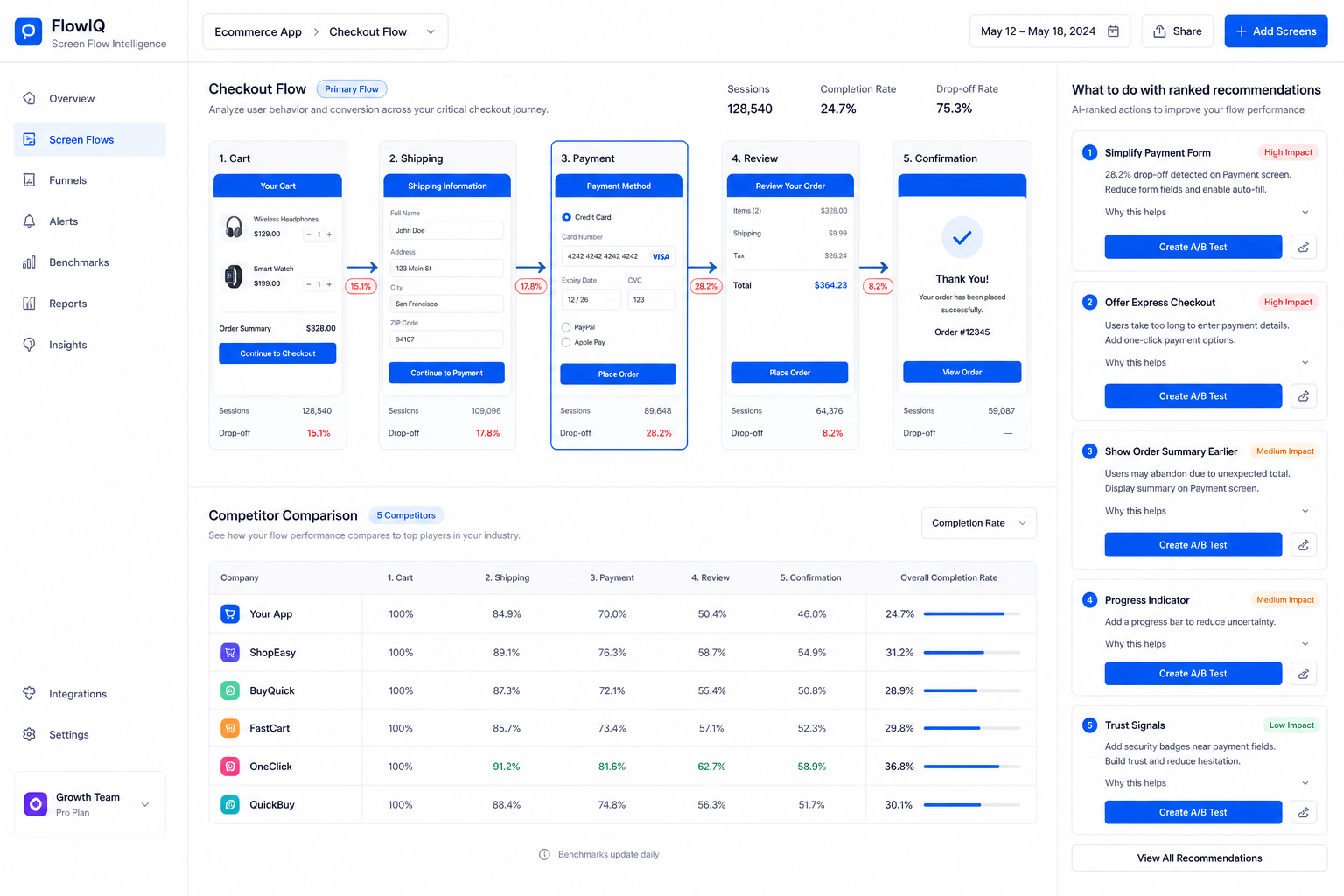
Analytics of the product, attached to the work, not after it.
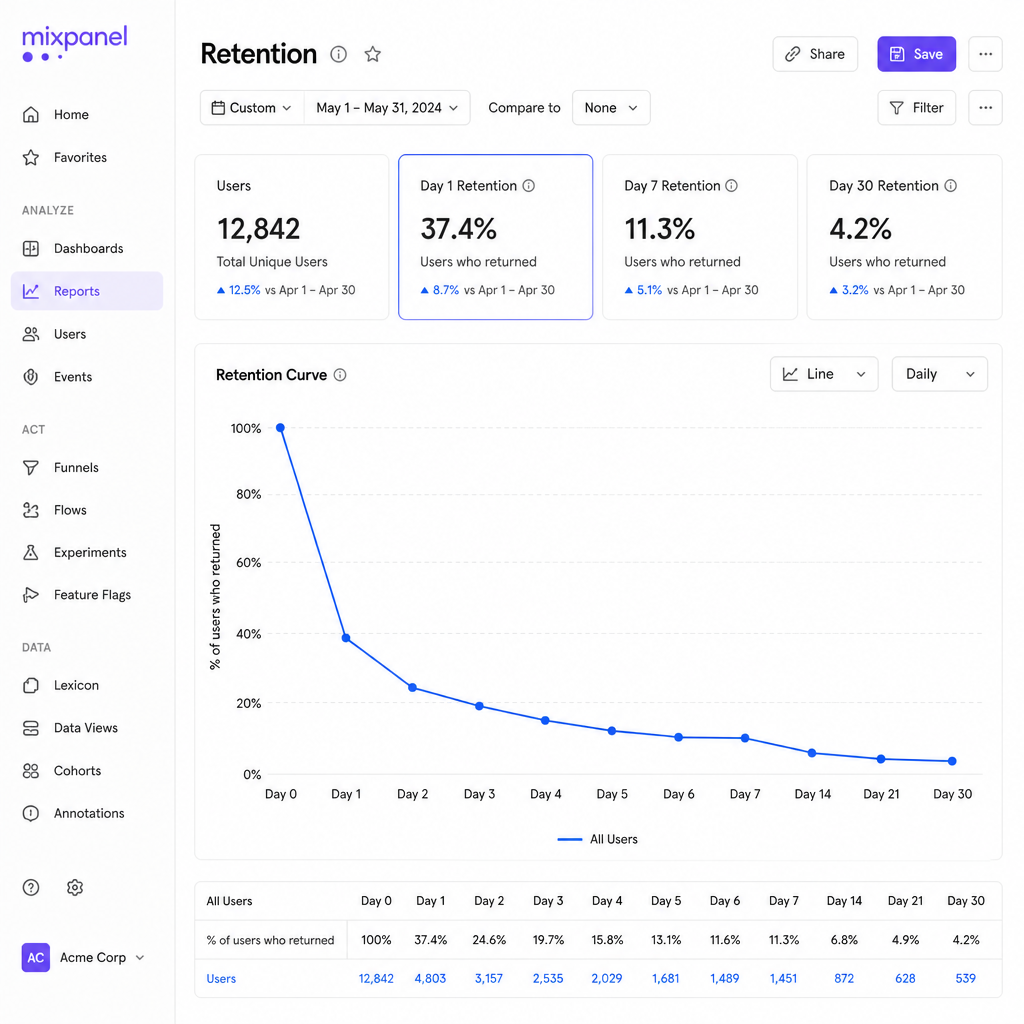
Numbers sit next to the brief. Drop-off, activation, and retention inform the ticket while you write it, not three days after ship.
What is happening
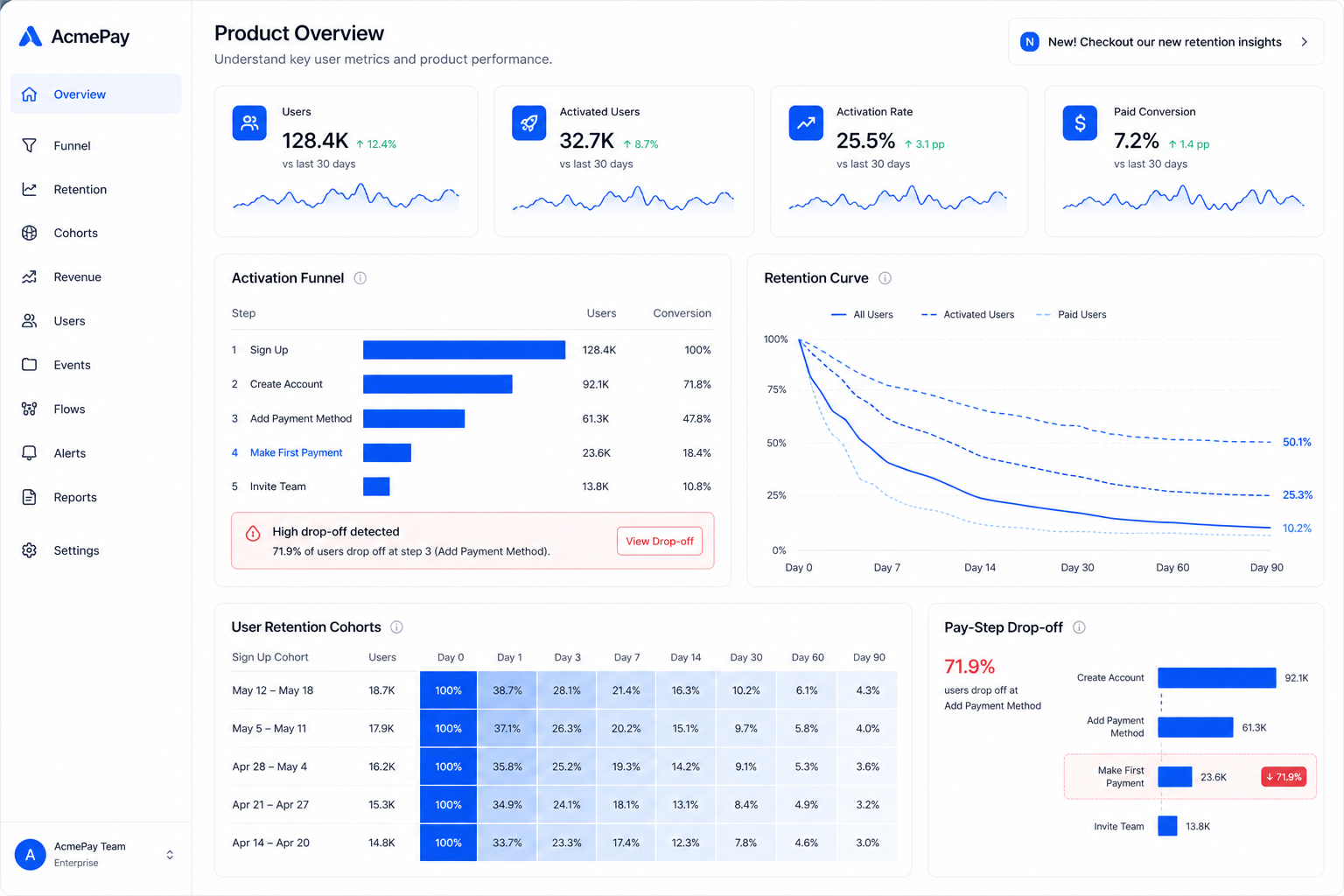
Product analytics sit next to the work. Drop-off is pinned to a step such as the pay CTA. The next PRD and ticket start at that miss, not at a vague “improve checkout” after ship.
The gap
Dashboards live in another tab. The task is still “improve checkout.”
What Kopilot does
Kopilot pulls product analytics into the workspace and cites the step that actually broke.
What you leave with
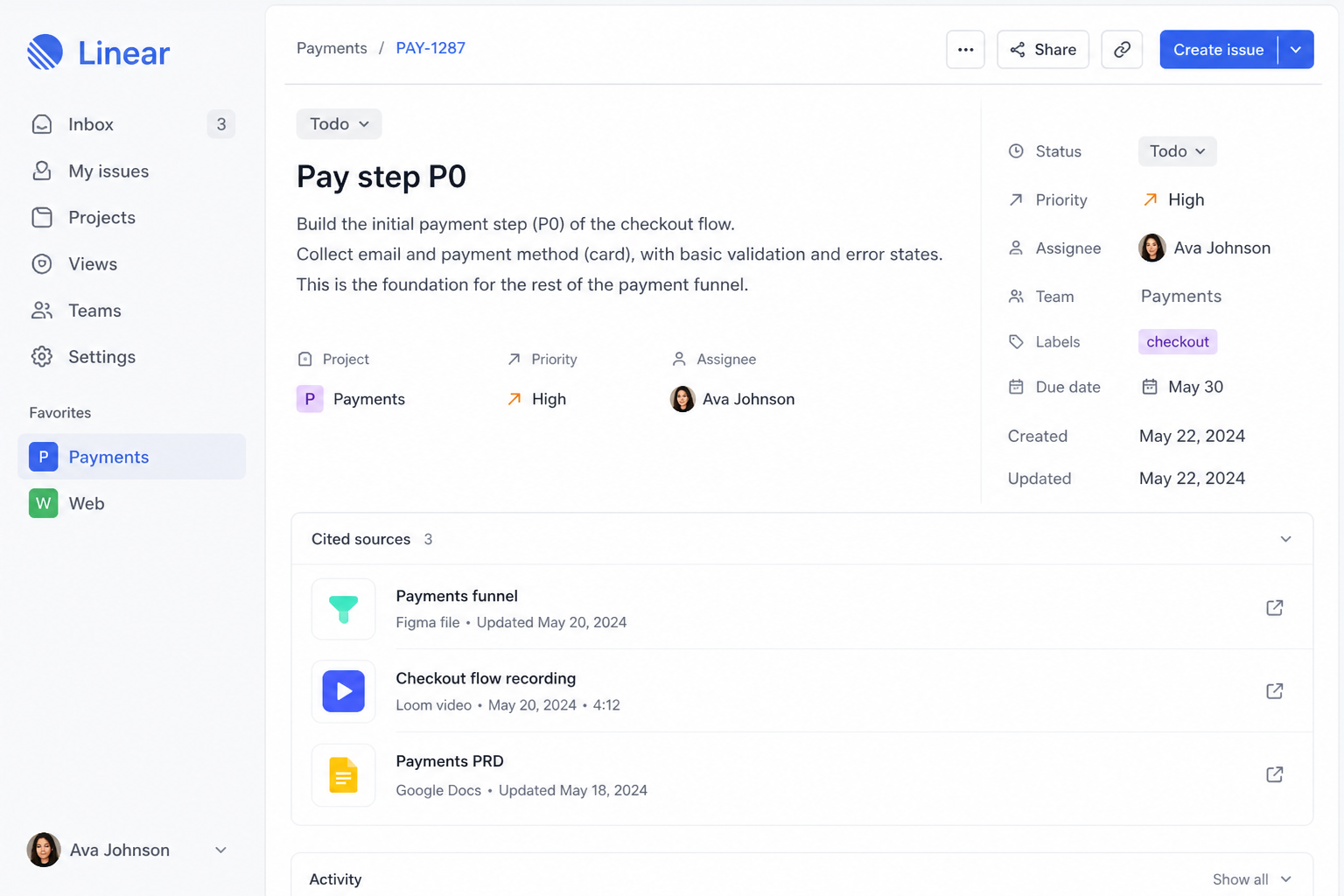
Tickets and PRDs that name the metric and the screen, not a vibe.
How this use case works
Connect the numbers
Funnels, retention, and the events you already track.
KPI cards and the funnel share one surface with the product work.
Land them on a screen
A drop at pay is pinned to the pay CTA, not a generic “conversion” label.
The miss is named at a step, such as the pay CTA.
Write from the miss
The next PRD and ticket start at the step the chart already showed.
That step is what the next ticket and PRD start from.
- Funnels next to screens
- Metrics cited in PRDs
- Less “check Mixpanel later”